


























QR codes have quietly become part of weddings. They're on save-the-dates, RSVP cards and seating charts. Using one so guests can share their photos is one of the most useful places to put them, and one of the easiest to get wrong.
Here's how to do it properly.
How a QR code for wedding photos works
The code is just a link. When a guest points their phone camera at it, their phone offers to open a web page. That page is where they upload photos.
What happens after that depends on what the code links to. Some link to a shared album that needs an app or an account. Some link to a simple upload page that works in any browser. For a wedding, you want the second kind. Every extra step (download this, sign in to that) loses you guests.
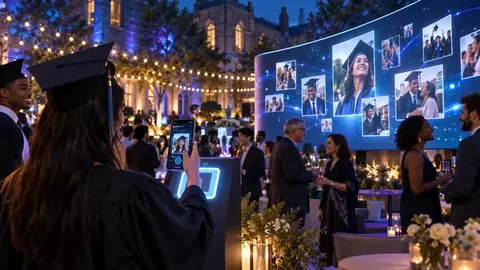
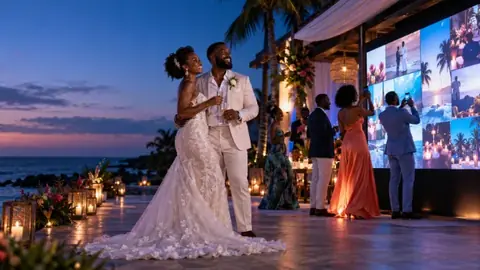
With Pixloud, the page opens with your names on it. Guests pick photos, add a message if they want, and tap send. If you're running a live photo wall, those photos show up on a screen at the reception once they're approved.
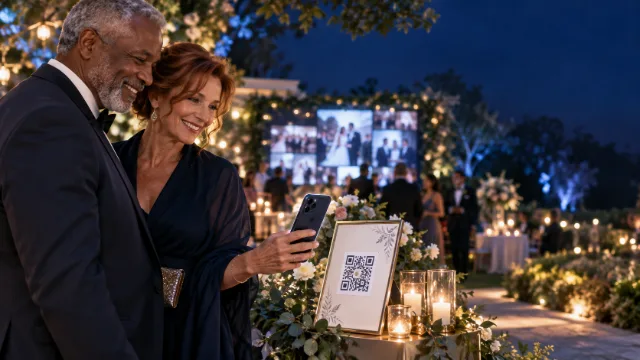
What to put on the table card
Keep it short. People read table cards for about three seconds.
- A clear instruction. "Scan to share your photos" works better than anything clever.
- What happens next. "They'll show up on the big screen" is a great reason to scan.
- The backup code. A short code guests can type at pixloud.app/join if their camera won't scan.
- Your names or monogram, so it looks like part of your wedding, not an ad.
Pixloud makes these cards for you, four to a page, ready to print at home or at a print shop.
Print the code at least 2.5 cm (about an inch) wide on table cards, and much bigger on signs people read from across the room.
Where to put the codes
- One on every table. Not one per room. People won't get up to scan.
- At the bar. Phones come out while people wait for a drink.
- By the dessert table and the photo backdrop. Same reason.
- On a slide or the wall itself. If you have a screen, show the code on it. Pixloud's wall puts the code in a corner automatically.
Test it before the day
This is the step people skip, and it's the one that saves you. A week before the wedding:
- Print one card at the size you'll use.
- Scan it with an iPhone and an Android phone, in dim light, from a normal sitting distance.
- Send a photo and check it arrives.
- If you're using a screen, open the wall on the actual TV or projector at the venue.
Dim reception lighting is the most common problem. A matte card scans more easily than a glossy one under spotlights.
What to watch out for
- Codes that expire. Some free QR generators make codes that stop working after a trial. Use a code from the service you're sharing photos with, so it keeps working.
- Upload pages that ask for too much. If guests have to make an account, most won't.
- No one in charge. If photos go to a public screen, someone needs to approve them. Pick a friend or your planner and give them the job.
- Photo quality. Check that the service keeps full-size photos, not tiny compressed versions.
After the wedding
The best part of a QR code is that it keeps working. Leave sharing open for a day or two so guests can send the photos they find the next morning. Then share the album link in your thank-you message, so everyone can see the wedding through everyone else's eyes.
Your first 25 photos on Pixloud are free, so you can make a card and test the whole thing at home this weekend.
Questions people ask
How big should a QR code be on a wedding table card?
At least 2.5 cm (about an inch) across on a table card, and larger on signs people read from a distance. Test-scan it in dim light before you print them all.
Will a QR code work for guests who don't have apps?
Yes, if it links to a page that opens in the browser. Pixloud's upload page needs no app and no account. Guests who can't scan can type a short code at pixloud.app/join.
How many QR codes do we need for a wedding?
One on every table, plus one at the bar and one near the dessert table or photo backdrop. If you have a screen, show the code on it too.
Get every guest's photos, on the night
Guests scan a QR code and share from their phones, with no app. You approve each photo, and it plays on the big screen. Your first 25 photos are free.