




























FAQ
For guests, hosts, and anyone comparing plans.
We're happy to help you plan your event.
Still wondering
Most hosts write to us once, a week before their event. We answer within a working day.

No. The QR code opens your event's page in your phone's browser. There's nothing to install.
No. You can share photos, clips, voice notes and messages without signing up or giving an email address.
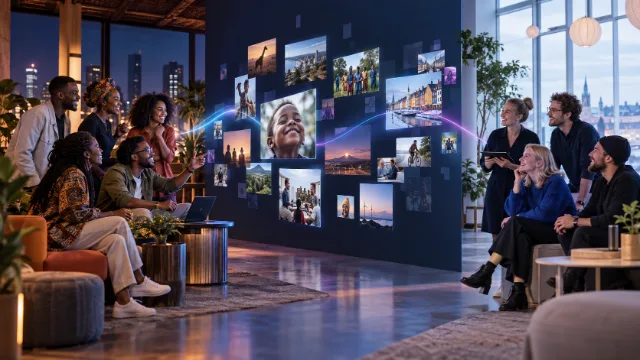
The host approves everything first. Once it's approved, it appears on the wall within seconds.
If the host switched them on, yes. You record them on the page itself — no app. Clips stop at 10 or 15 seconds, voice notes at 10 or 20.
Only if the host chooses to play it through the wall. Either way it joins the voice guestbook they keep.
Your host sets a limit per phone for each kind. The page shows how many you have left.
A few minutes. Create an account, name your event, choose a theme and download your QR code.
Yes. Invite up to 20 moderators by link. They get their own login, see only the approval queue and team chat, and lose access a week after the event.
Any screen with a web browser: a projector, a TV, or a laptop connected to one.
Uploads close and the live wall stops. Your approved photos stay in your dashboard.
A short video of your approved photos set to music — pick a length and a track, and regenerate it whenever you like. Included on Signature and the monthly plans.
Yes. Upload a logo and pick your colours, or use one of the eleven brand templates. Planners and venues can run Pixloud fully white-label.
Yes. Free collects up to 25 photos and messages on the wall, with no card needed.
Every photo guests upload, including ones you choose not to approve.
Yes. Upgrade from the event page while the party is running and the higher limits apply straight away.
Share your link and when a friend books their first paid event you each get $20 credit. Planners, DJs and booths can also earn 20% as a partner, or resell Pixloud under their own brand.
No, and it never will. It's a permanent product decision.
Anyone with your wall link, while the event is live. Only approved photos are shown.
Free for 7 days, Essential for 6 months, Signature and the monthly plans for 12 months. We email you a week before anything is deleted, and you can download everything at any time.
Yes. Ask the host during the event, or email us and we will erase anything of yours.
FAQ
For guests, hosts, and anyone comparing plans.
We're happy to help you plan your event.
Still wondering
Most hosts write to us once, a week before their event. We answer within a working day.
No. The QR code opens your event's page in your phone's browser. There's nothing to install.
No. You can share photos, clips, voice notes and messages without signing up or giving an email address.
The host approves everything first. Once it's approved, it appears on the wall within seconds.
If the host switched them on, yes. You record them on the page itself — no app. Clips stop at 10 or 15 seconds, voice notes at 10 or 20.
Only if the host chooses to play it through the wall. Either way it joins the voice guestbook they keep.
Your host sets a limit per phone for each kind. The page shows how many you have left.
A few minutes. Create an account, name your event, choose a theme and download your QR code.
Yes. Invite up to 20 moderators by link. They get their own login, see only the approval queue and team chat, and lose access a week after the event.
Any screen with a web browser: a projector, a TV, or a laptop connected to one.
Uploads close and the live wall stops. Your approved photos stay in your dashboard.
A short video of your approved photos set to music — pick a length and a track, and regenerate it whenever you like. Included on Signature and the monthly plans.
Yes. Upload a logo and pick your colours, or use one of the eleven brand templates. Planners and venues can run Pixloud fully white-label.
Yes. Free collects up to 25 photos and messages on the wall, with no card needed.
Every photo guests upload, including ones you choose not to approve.
Yes. Upgrade from the event page while the party is running and the higher limits apply straight away.
Share your link and when a friend books their first paid event you each get $20 credit. Planners, DJs and booths can also earn 20% as a partner, or resell Pixloud under their own brand.
No, and it never will. It's a permanent product decision.
Anyone with your wall link, while the event is live. Only approved photos are shown.
Free for 7 days, Essential for 6 months, Signature and the monthly plans for 12 months. We email you a week before anything is deleted, and you can download everything at any time.
Yes. Ask the host during the event, or email us and we will erase anything of yours.
Pixloud
Replies within 1 business day
Opens WhatsApp with your message. Standard messaging rates may apply.
Color theme
Text size
Display & reading
High contrast
Black background, white text, yellow highlights
Readable font
Swap brand type for a plain sans-serif
Letter spacing
Wider spacing between letters and words
Line height
More space between lines of text
Underline links
Show every link with an underline
Highlight focus
Strong yellow outline on the focused element
Reduce motion
Stop animations and transitions
Large cursor
Bigger pointer for easier tracking
Reading guide
A ruler that follows your pointer
Grayscale
Remove color from the page
Hide images
Hide photos and pictures, keep text
Settings are saved on this device. Pixloud aims to meet WCAG 2.1 AA; if something isn't working for you, tell us.
We use strictly necessary cookies to make the site work. With your permission, we also use cookies to remember your preferences, understand how the site is used, and measure our marketing. You can change your choice any time from "Cookie settings" in the footer. Privacy policy
Strictly necessary
Sign-in, security and remembering your cookie choice. Cannot be turned off.
Preferences
Remembers settings like theme and accessibility options.
Analytics
Helps us understand which pages are useful, in aggregate.
Marketing
Measures whether our ads brought you here.